CASE STUDY — AIVORE APP

CASE STUDY — AIVORE APP

Aivore — designing a recipe app that works with what you have

Sumol Summer Fest

redesigning a festival site

Aivore — designing a recipe app that works with what you have

PRODUCT DESIGN, INTERACTION DESIGN, PROTOTYPING

PRODUCT DESIGN, INTERACTION DESIGN, PROTOTYPING

Overview

Aivore started from a personal frustration: buying groceries with good intentions, then watching them go to waste. The fridge was full but nothing seemed to go together. The same three meals kept repeating. And at the end of the week, half of what was bought ended up in the bin.

The goal was simple: design an app that turns what you already have into something you actually want to eat, while building a smarter shopping habit over time.

Aivore started from a personal frustration: buying groceries with good intentions, then watching them go to waste. The fridge was full but nothing seemed to go together. The same three meals kept repeating. And at the end of the week, half of what was bought ended up in the bin.

The goal was simple: design an app that turns what you already have into something you actually want to eat, while building a smarter shopping habit over time.

The problem

The issue isn't that people don't want to cook. It's that the gap between "what's in my fridge" and "what can I make" feels too big to bridge in the middle of a busy day.

Three patterns kept coming up: ingredients were bought without a clear plan, so they'd sit unused until they expired. Without knowing what to cook with what they had, people defaulted to the same familiar meals. And the mental effort of figuring out a recipe from scratch was enough to make takeaway the easier option.

The result: food waste, repetitive meals, and a grocery list that never quite matched what was actually needed.

Research

Without formal user interviews, the research started closer to home. Personal experience with the same recurring problem: a full fridge, no plan, and takeaway as the default.

To validate that this wasn't just a personal quirk, I mapped the behaviour informally against people around me. The pattern was consistent: the problem wasn't motivation to cook, it was the decision fatigue that comes before it.

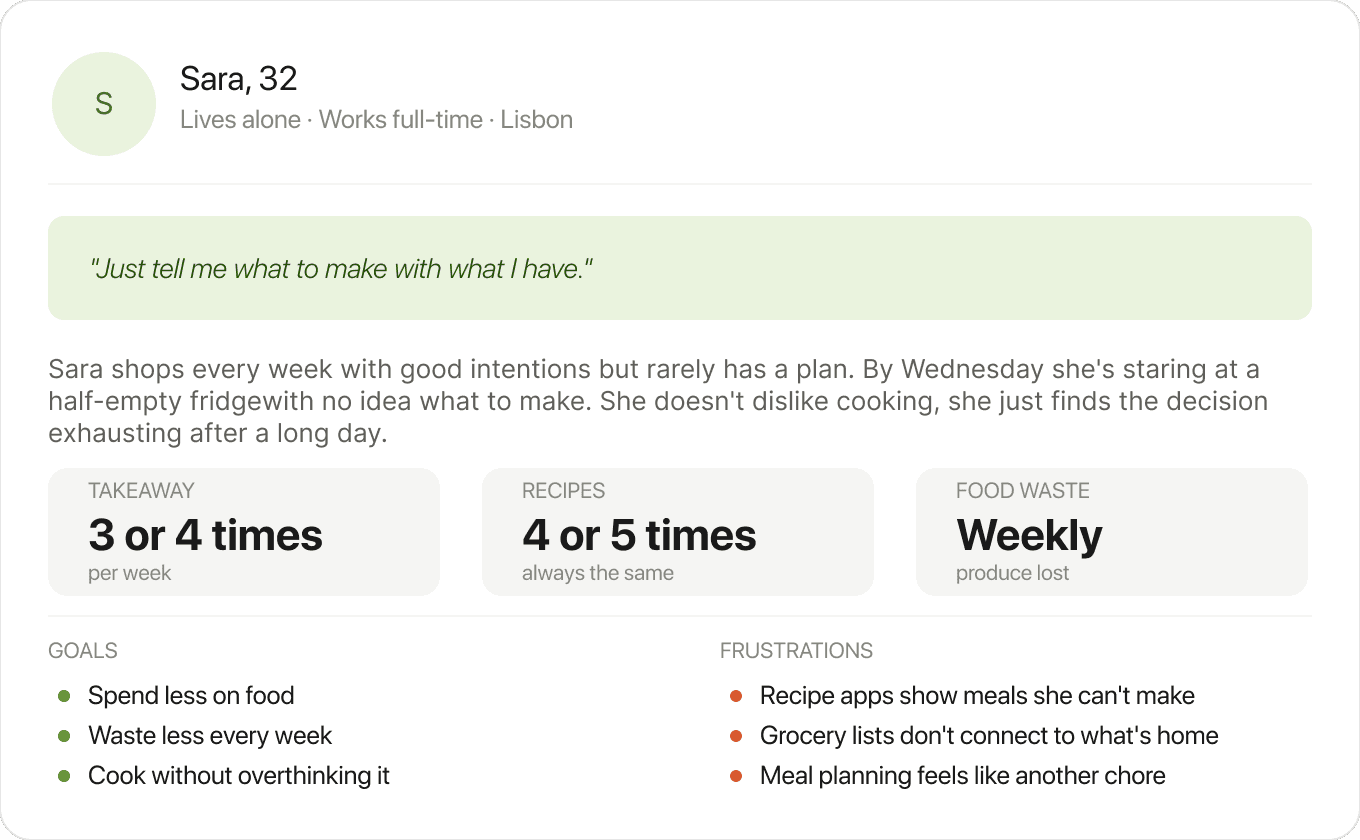
From these observations, I defined a primary user, Sara, 32, living alone and working full-time, to keep design decisions grounded in a real scenario rather than an abstract one.

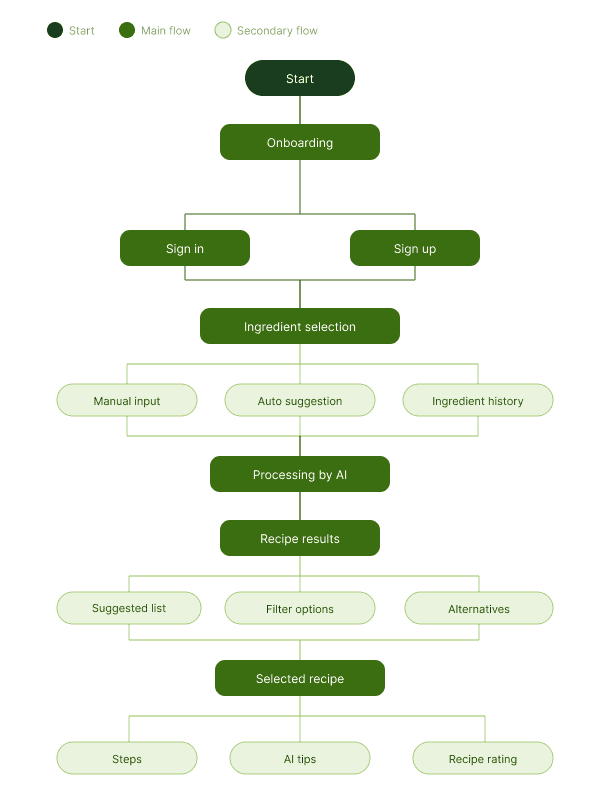
With the user defined, the next step was mapping her journey through the app: from the moment she opens the fridge and has no idea what to cook, to finding a recipe and knowing exactly what she's missing.
Design Decisions

01

How should users add ingredients to their inventory?

How should users add ingredients to their inventory?

OPTIONS CONSIDERED

A — Manual search only

A — Manual search only

B — Scan only

B — Scan only

C — Both: manual search and scan via photo

C — Both: manual search and scan via photo

Why we chose C

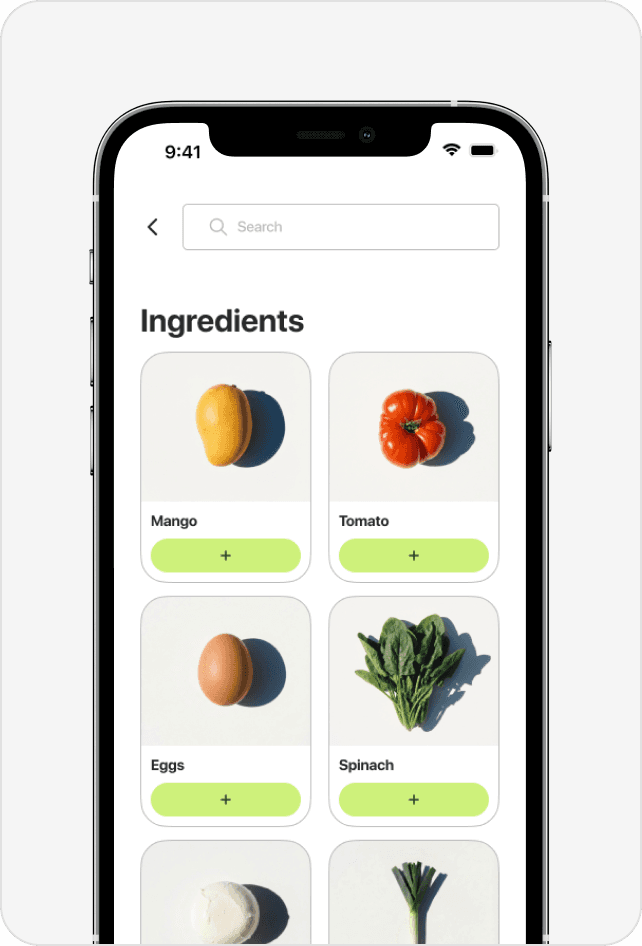
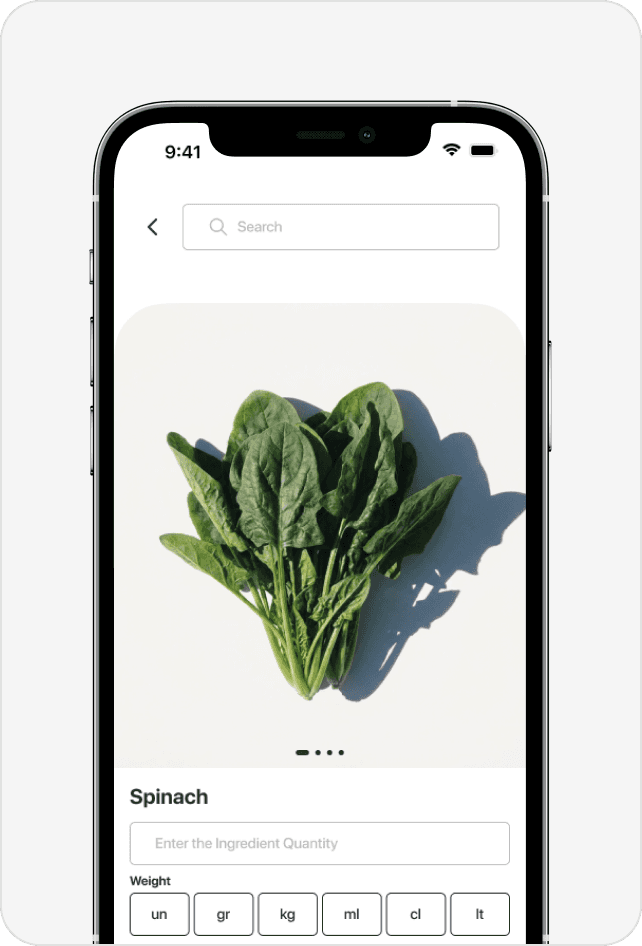
Typing every ingredient is slow and creates friction before the user even gets to the recipes. But scan only excludes anyone who isn't standing in front of their fridge. Two entry points cover both moments without forcing a choice.

Typing every ingredient is slow and creates friction before the user even gets to the recipes. But scan only excludes anyone who isn't standing in front of their fridge. Two entry points cover both moments without forcing a choice.

Outcome

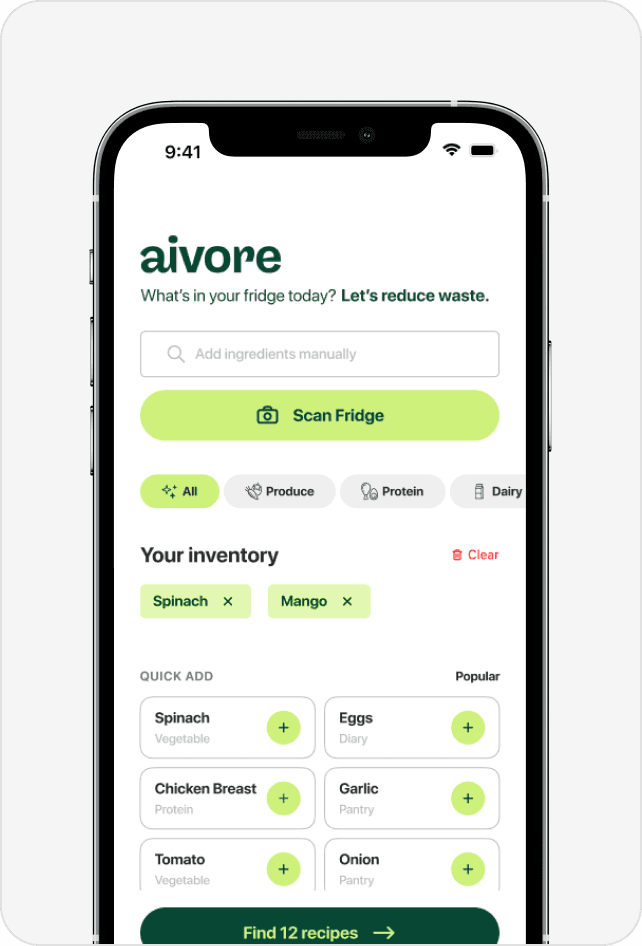
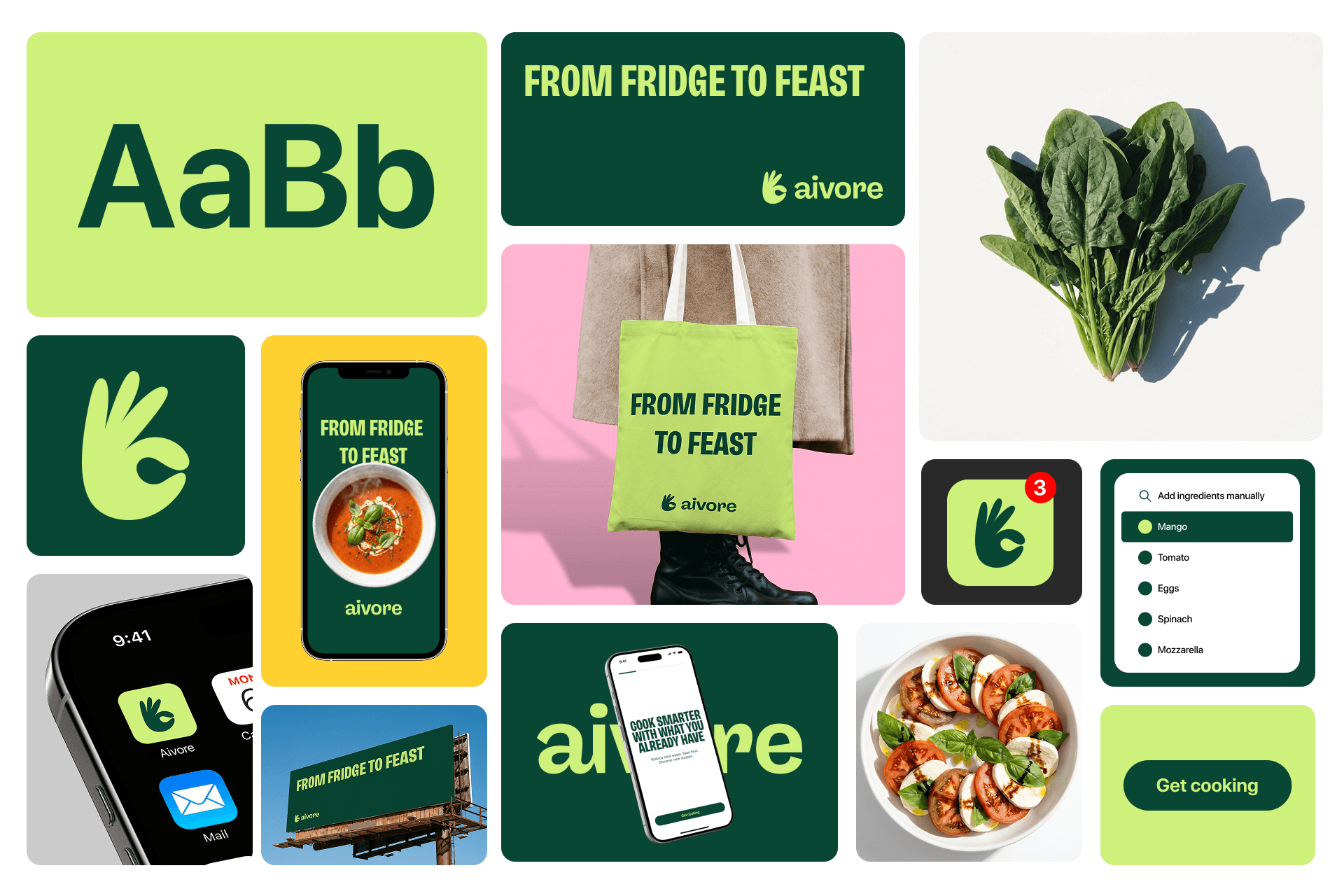
A search bar for quick manual additions and a Scan Fridge button for automatic recognition via photo, side by side on the main screen.

A search bar for quick manual additions and a Scan Fridge button for automatic recognition via photo, side by side on the main screen.

02

How do we show users which recipes they can actually make?

How do we show users which recipes they can actually make?

OPTIONS CONSIDERED

A — Show all recipes regardless

A — Show all recipes regardless

B — Show only 100% matches

B — Show only 100% matches

C — Show all recipes with a match percentage

C — Show all recipes with a match percentage

Why we chose C

Showing only perfect matches is too restrictive. Showing everything without context creates frustration. A percentage gives the user the information they need to decide: cook now, or grab one extra ingredient.

Showing only perfect matches is too restrictive. Showing everything without context creates frustration. A percentage gives the user the information they need to decide: cook now, or grab one extra ingredient.

Outcome

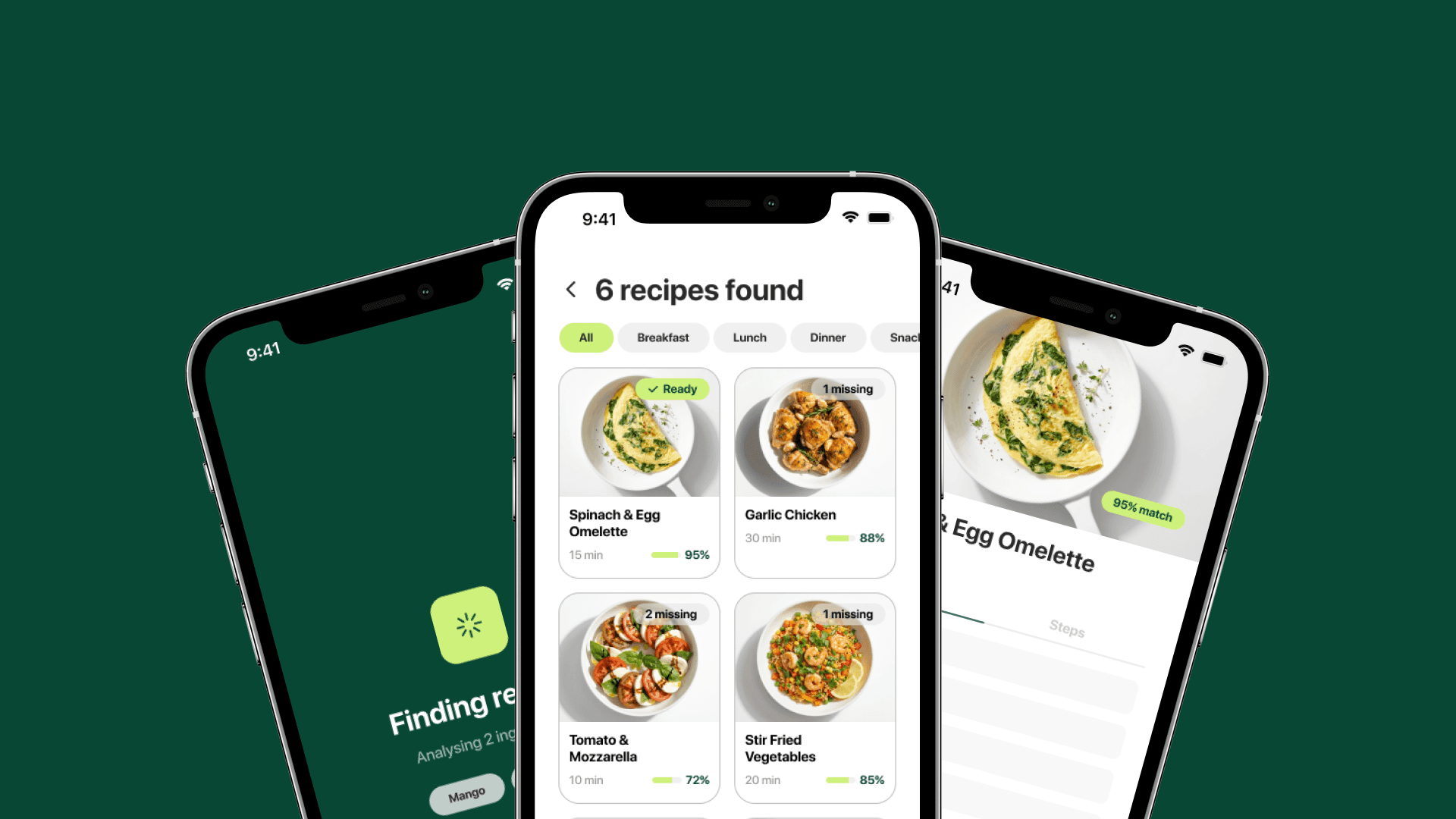
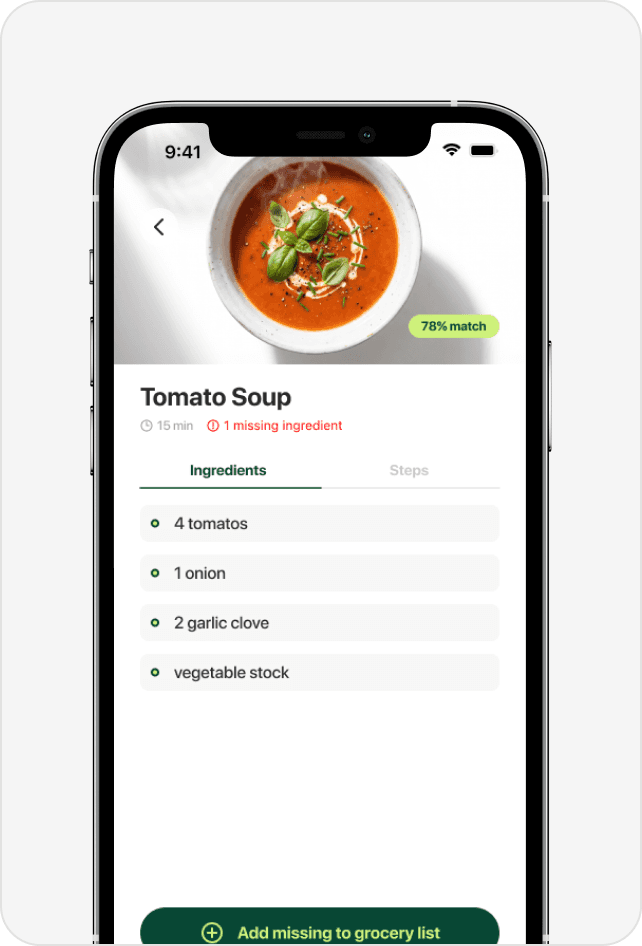
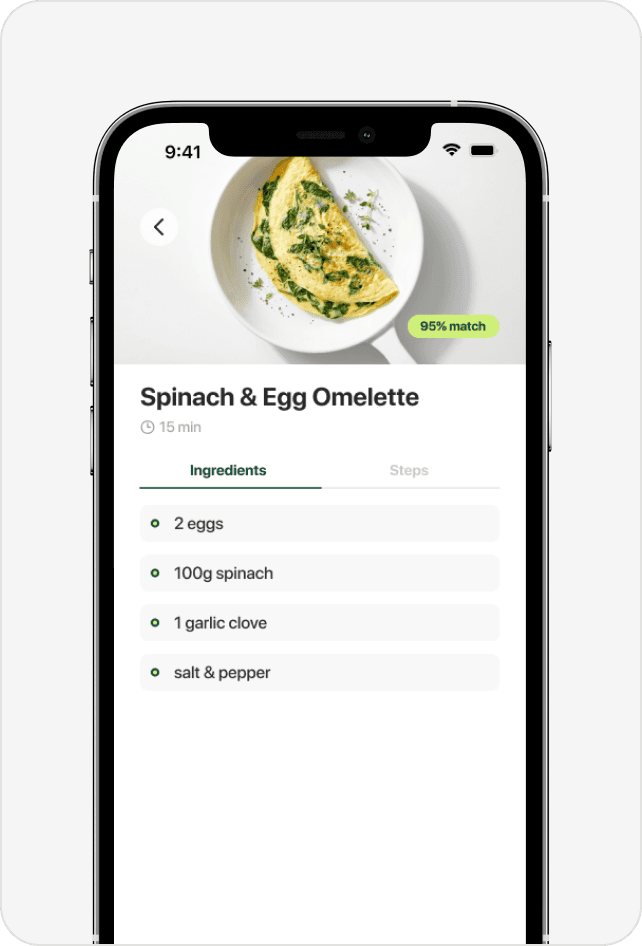
A match percentage on each recipe card. 95% means almost ready. 72% means a short shopping trip. The decision becomes immediate and effortless.

A match percentage on each recipe card. 95% means almost ready. 72% means a short shopping trip. The decision becomes immediate and effortless.

03

What happens when a user is missing ingredients?

What happens when a user is missing ingredients?

OPTIONS CONSIDERED

A — Show a warning and stop

A — Show a warning and stop

B — Suggest a different recipe

B — Suggest a different recipe

C — Add missing ingredients to a grocery list

C — Add missing ingredients to a grocery list

Why we chose C

A warning is a dead end. Suggesting another recipe ignores the user's intent. The logical next step is removing the obstacle: getting the missing ingredient.

Outcome
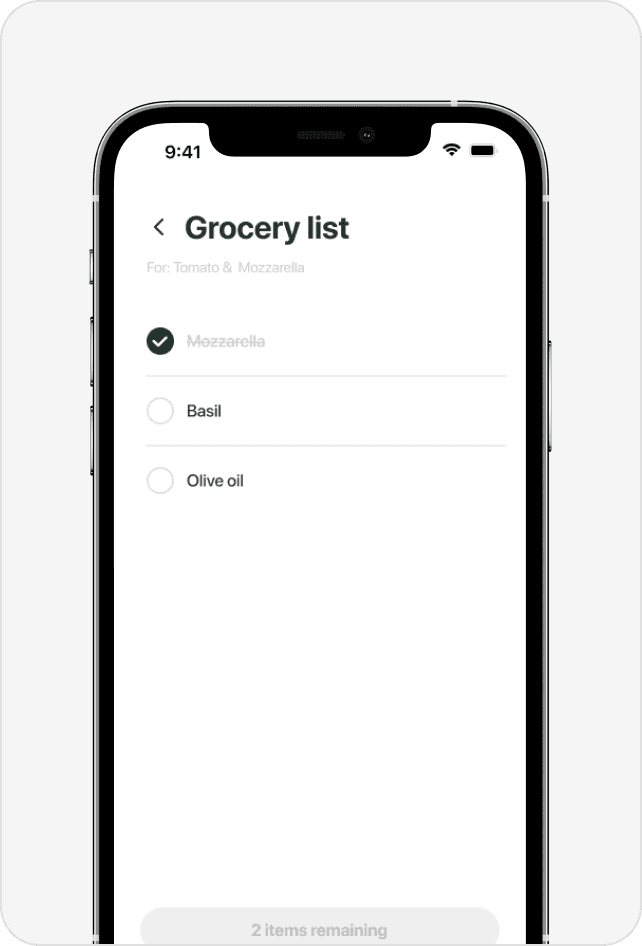
Missing ingredients are added to a smart grocery list with one tap. The app becomes useful beyond the kitchen, following the user to the supermarket.

Missing ingredients are added to a smart grocery list with one tap. The app becomes useful beyond the kitchen, following the user to the supermarket.

04

How do we introduce the app without overwhelming the user?

How do we introduce the app without overwhelming the user?

OPTIONS CONSIDERED

A — Feature walkthrough showing every screen

A — Feature walkthrough showing every screen

B — Single welcome screen with a CTA

B — Single welcome screen with a CTA

C — Three-screen onboarding focused on the core value proposition

C — Three-screen onboarding focused on the core value proposition

Why we chose C

A feature walkthrough front-loads information the user hasn't asked for yet. A single screen doesn't give enough context for an app that works differently from a typical recipe app. Three screens build the proposition step by step: here's the problem, here's what you do, here's what you get.

Outcome
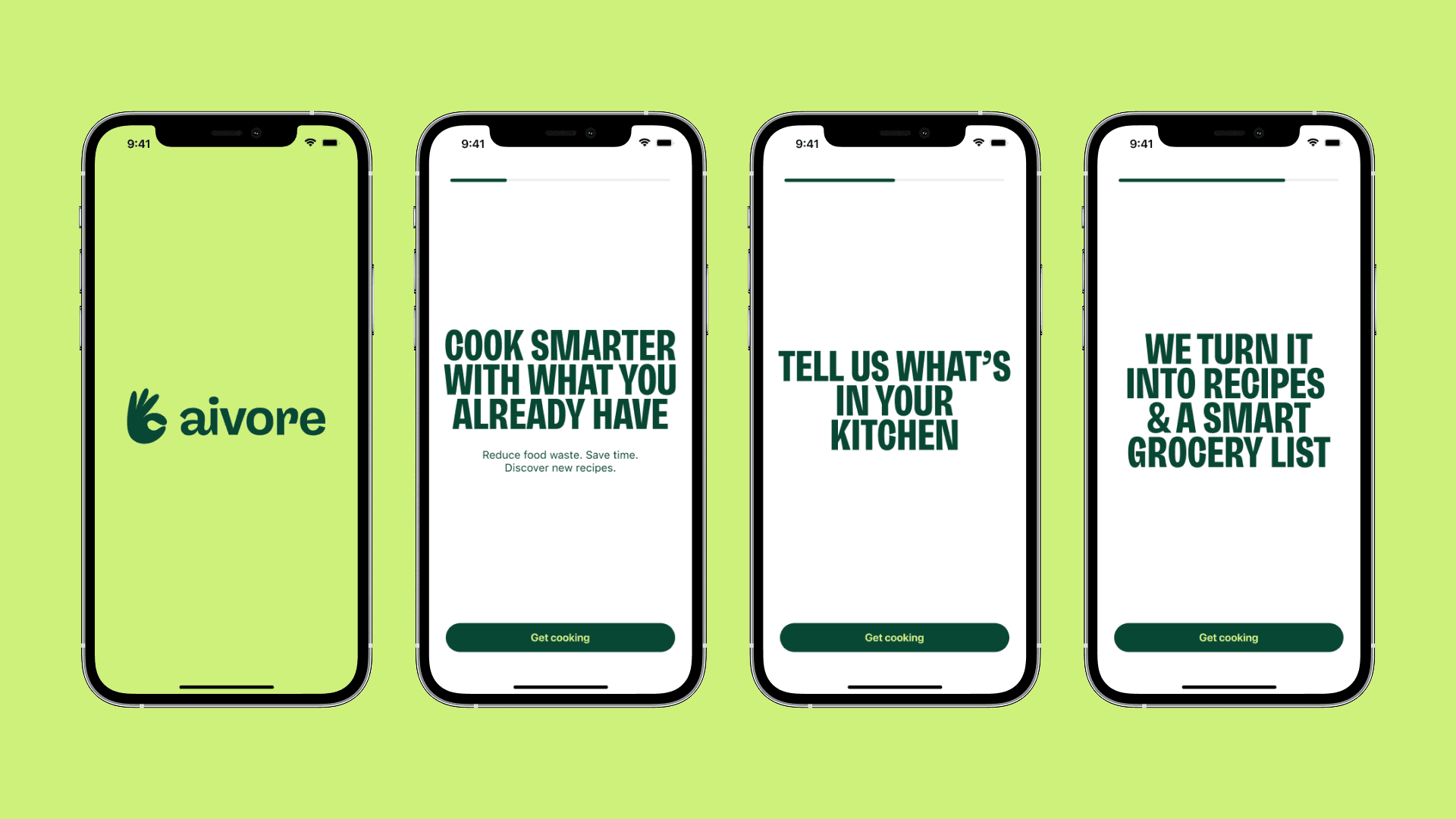
Three focused screens: "Cook smarter with what you already have", "Tell us what's in your kitchen", "We turn it into recipes and a smart grocery list." No feature lists, no screenshots. Just the promise.

Three focused screens: "Cook smarter with what you already have", "Tell us what's in your kitchen", "We turn it into recipes and a smart grocery list." No feature lists, no screenshots. Just the promise.

Final delivery

A fully designed mobile app covering the complete user journey, from onboarding to recipe discovery and grocery list generation. Every screen was designed mobile-first, with a focus on reducing the number of steps between opening the app and finding something to cook. Given this was a personal concept project, validation was based on personal observation rather than formal testing. Defining the next steps would involve recruiting users that match Sara's profile for usability testing, and iterating based on their feedback before any development phase.

A fully designed mobile app covering the complete user journey, from onboarding to recipe discovery and grocery list generation. Every screen was designed mobile-first, with a focus on reducing the number of steps between opening the app and finding something to cook. Given this was a personal concept project, validation was based on personal observation rather than formal testing. Defining the next steps would involve recruiting users that match Sara's profile for usability testing, and iterating based on their feedback before any development phase.

You've hit the footer,

thanks for stopping by.

You've hit the footer,

thanks for stopping by.